
Streaks
A streak is the number of consecutive periods you've completed a habit. Here's exactly how Pilli counts them.
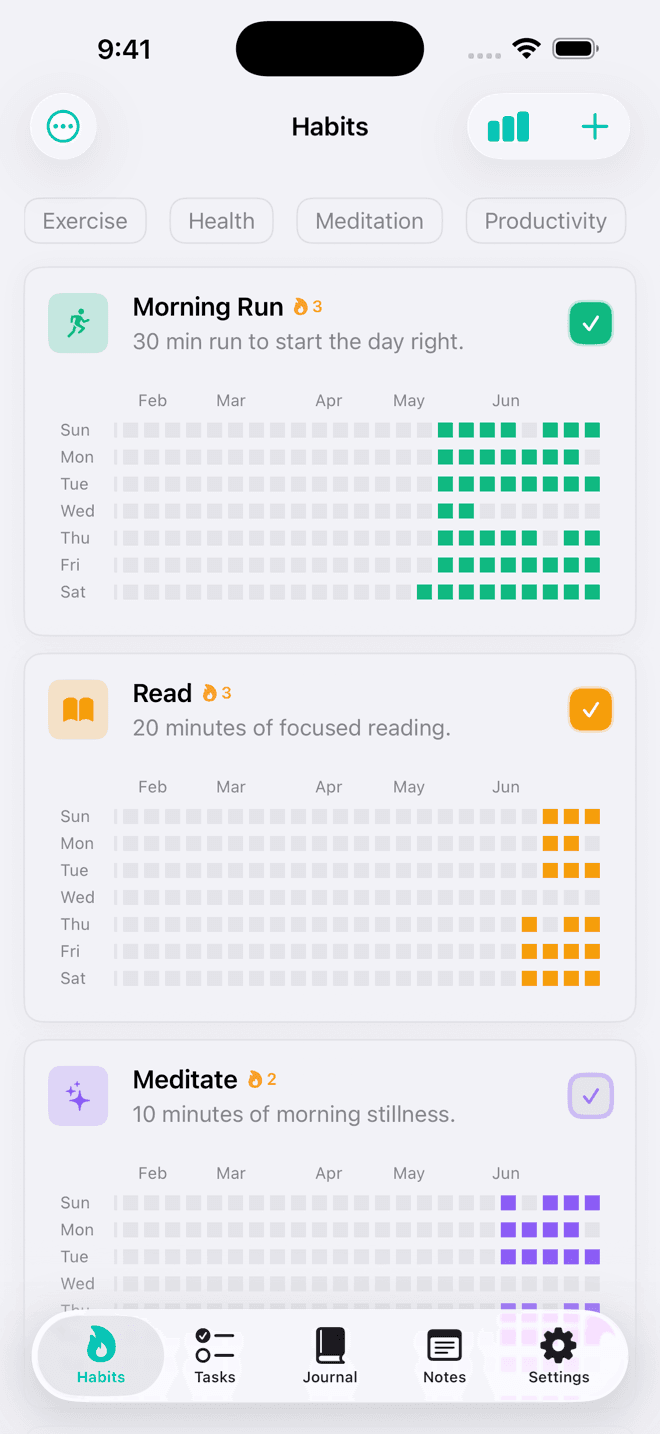
Daily streaks
A daily habit's streak counts consecutive days on which you completed it.
- If you've already completed the habit today, the streak includes today and every unbroken day before it.
- If you haven't completed it yet today, the streak counts from yesterday backwards — so your streak stays visible while the day is still in progress.
- Miss a day entirely and the streak resets to 0 the following day.
Example: You completed Mon → Tue → Wed → Thu, skipped Fri, and completed Sat. Your streak on Saturday is 1 (only Saturday is unbroken).
Weekly streaks
A weekly habit's streak counts consecutive weeks in which you hit your weekly target (e.g., 3 days out of 7).
- The current week (Mon–Sun) is always skipped while it's in progress — a partial week doesn't break or count towards your streak yet.
- Once the week closes, it's counted if you met the target, or the streak resets if you didn't.
- Streak shows the number of complete past weeks that met the goal, in an unbroken run ending at last week.
Monthly streaks
A monthly habit's streak counts consecutive scheduled days on which you completed it.
- Only the days you configured (e.g., the 1st and 15th) are checked — days in between don't count against you.
- If the most recent scheduled day is today and you haven't completed it yet, today is skipped — the streak counts from the previous scheduled day backwards.
- Miss any scheduled day and the streak resets.
Where streaks appear
The streak badge (🔥 n) appears next to the habit title on each card. You can toggle it on or off in Habits → ⋯ → Preferences → Show Streak Badge.
Streak freeze (coming soon)
A planned Pro feature that lets you protect your streak for one missed day per month. Keep an eye on updates.